A route page, from the top
Every route is laid out the same way, which is handy once you know it. The header carries the label CATEGORY ROUTE, the route name and two controls. Below that come curated blocks, then the full list.
The blocks are worth understanding rather than scrolling past. Top picks are editorial. New arrivals is the recently listed end of the route. Best value is the low price end, which is the sensible place for a first order. Then Products in this category is everything, with its own count and a load more button at the bottom.

Sort first, then filter, then scroll
On a route holding a few thousand listings, scrolling is the worst of the three tools and it is the one people reach for first.
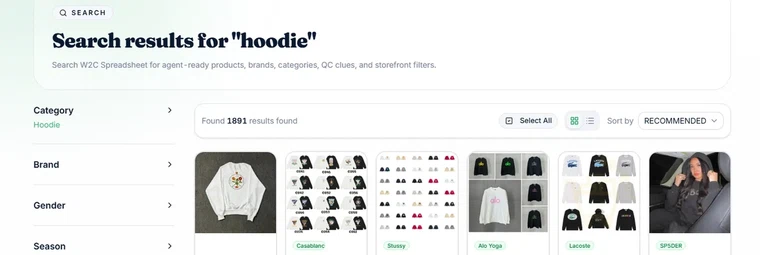
Sort changes what the first screen shows you. The default order is Recommended, which is a curated order rather than a chronological one. Full filter is where brand, gender and season live, and on the big clothing routes brand is the single most effective cut: it takes a route of several thousand down to a few dozen in one click.
Only then is scrolling useful, and the count at the top of the full list tells you whether you have narrowed enough. If it still says more than a few hundred, narrow again.
Reading a card without over reading it
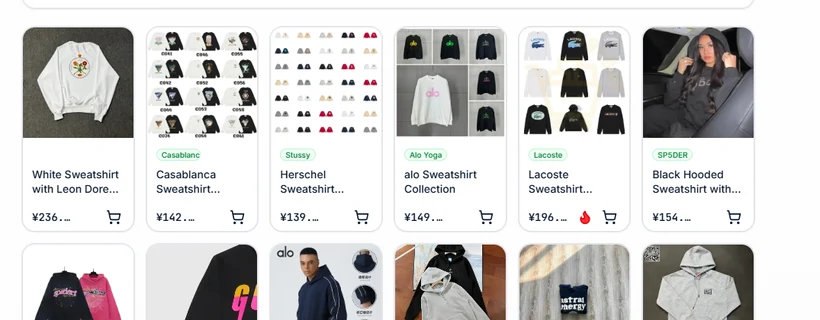
The most common misread is treating the photo as evidence. It is the seller own photo, chosen to sell. Sometimes it is a studio shot of the genuine article, sometimes it is a photo of the actual item on a table, and from the card you cannot tell which.
The title earns more attention than it gets. It is translated from the seller wording, so it often carries the details that matter: how many colours the listing covers, whether it is a zip or a pullover, whether the price is for one piece or a set. When a title says collection, the price on the card is usually the cheapest variant in it.
The price is in yuan and it is the item alone. Two identical cards at different prices usually differ in what the seller counts as included.
Which control to reach for, by situation
A short decision table for the three tools on a route page. Nothing here is clever, it just saves the twenty minutes people spend scrolling a route that a filter would have solved.
| If you | Reach for | Why |
|---|---|---|
| Know the brand | Full filter, brand | The single biggest cut available on clothing and footwear routes. |
| Know roughly what it looks like but not the brand | Sort, then scroll Best value | The low price block is small enough to read properly and it is where first orders usually come from. |
| Want whatever is newest | New arrivals block | It is sampled from the most recent publishing hours, so it changes between visits. |
| Know the exact item | Catalogue search | Search takes a product name, a brand or a pasted link and cuts across every route at once. |
| Are on a route with under thirty listings | Search, then come back later | Thin routes move fast in relative terms. Browsing them is not a good use of an evening. |
How to choose between two listings that look the same
This is where an evening actually gets decided, and none of it is guesswork about quality.
Prefer the listing whose title is specific over the one whose title is generic, because the specific one is easier to question later. Prefer the listing with more than one photo angle. Where two cards differ in price by a lot, assume the difference is in what is included rather than in some hidden quality tier, and check the title for the word collection.
Then stop. Everything past this point, whether the stitching is neat and whether the size runs small, is not knowable from a card. It is knowable from photos taken after purchase, and deciding what to do about those is a separate job.
When to stop browsing
Two rules of thumb, both learned the expensive way by other people.
First order small. One light item through the whole trip teaches you more about an agent, a freight line and your own customs treatment than a month of reading. Wallets, socks and t-shirts are the usual candidates because freight is priced on the parcel.
Second, do not let a shortlist sit for weeks. Cards are snapshots. A listing that was live in August may be gone in October, and the catalogue reads routes on its own schedule rather than yours. If you like something enough to keep the tab open, that is usually a sign to order it.
The mistakes page collects the rest, including the two that cost the most time, and the page on what a card carries goes deeper on reading one.
How to use the search box on this site
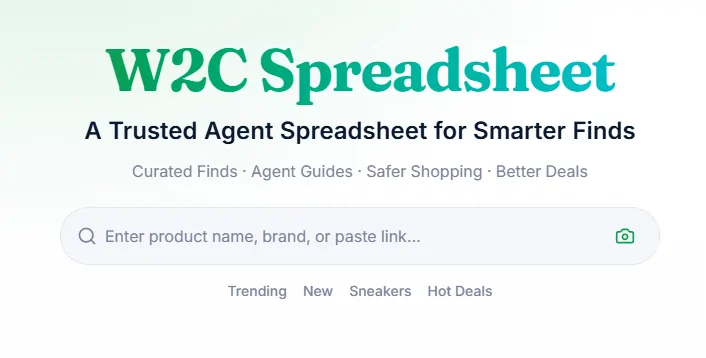
The box at the top of the home page is one field and one button. What you type goes into the catalogue and comes back as cards, so the habit that pays is to type the way a card was written rather than the way a seller writes a title.
Plain nouns work: hoodie, canvas tote, running shoes. Long seller headlines and model codes mostly do not, because the entries were written by people describing what they received. A thin result set usually means one word too many, and the word to lose is the one describing the thing rather than naming it.
Once you are on a result page the filter rail does the rest of the work. It is the fastest way to turn a thousand results into a shortlist, and it is the part most people scroll straight past.
How to judge a seller you cannot write to
On most marketplaces you would open the shop, read its rating and decide. On this route you usually cannot. The desktop side of Weidian is built for the people running shops, not the people buying from them, so a shop link often lands on a sign in form rather than a storefront.
What you are left with is the listing itself, which is more than it sounds. A seller who photographs the same item from four angles on a plain surface is telling you something different from one who posted a single picture lifted from a brand campaign. A title written in specifics, with fabric weight and measurements, comes from someone who has handled the thing. Repeated listings of the same photograph across several shops mean nobody in that group took it.
The agent is the other half of the answer. Its photographs arrive before you pay to ship, which turns an unknown seller into a known parcel while the decision is still reversible.
How to find things on Weidian when there is no buyer search
Weidian is a tool for opening a shop, not a mall you browse. Its desktop front page sells the platform to merchants: the navigation is solutions, cloud, partnerships and a help centre, with sign in and register in the corner. There is no search box for shoppers anywhere on it.
That single fact changes how you shop there. You do not arrive by searching Weidian; you arrive by following a link somebody already found. That is exactly what a finds list is for, and it is why the entry words on this catalogue matter so much: the route you open is the search.
If you do end up with a bare shop link from a forum, treat it as a lead rather than a destination. Hand it to the agent and let the account that can actually open it do the work.